Mujily — the website builder
Build any website. Own all of it.
Shops, portfolios, studios, journals and launch pages, made in one visual editor on your own domain. Start with a blank page or a finished design, switch on selling when you are ready, and keep everything you make.
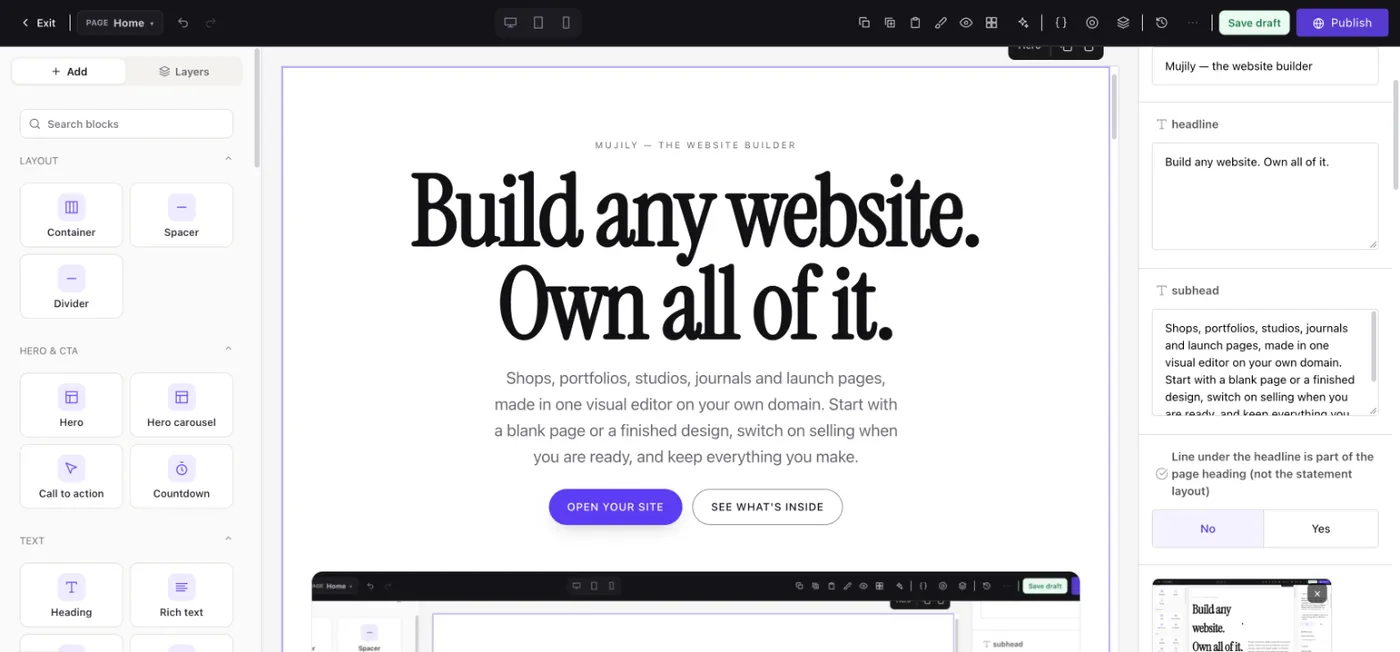
Everything a website needs, already in the box.
A visual editor
Sixty-one ready sections: heroes, galleries, pricing, forms, FAQs, countdowns, marquees. Drag them in, type on the page, publish when it reads right.
Themes you can bend
Pick a finished design or start plain, then set your own colours, type, corners and buttons. Every change is previewed before anyone else sees it.
Selling, when you want it
Products, stock across locations, discounts, checkout and orders sit in the same console. Leave them off until the day you need them.
Pages and a journal
About, contact, landing pages and a journal for long reads, each with its own address, menu place and search preview.
Search tools built in
Search previews, link suggestions and structured data for every page, plus a sitemap that updates itself as you publish.
Every language you need
Add languages to any site and translate each page, with every version kept in step as you edit.
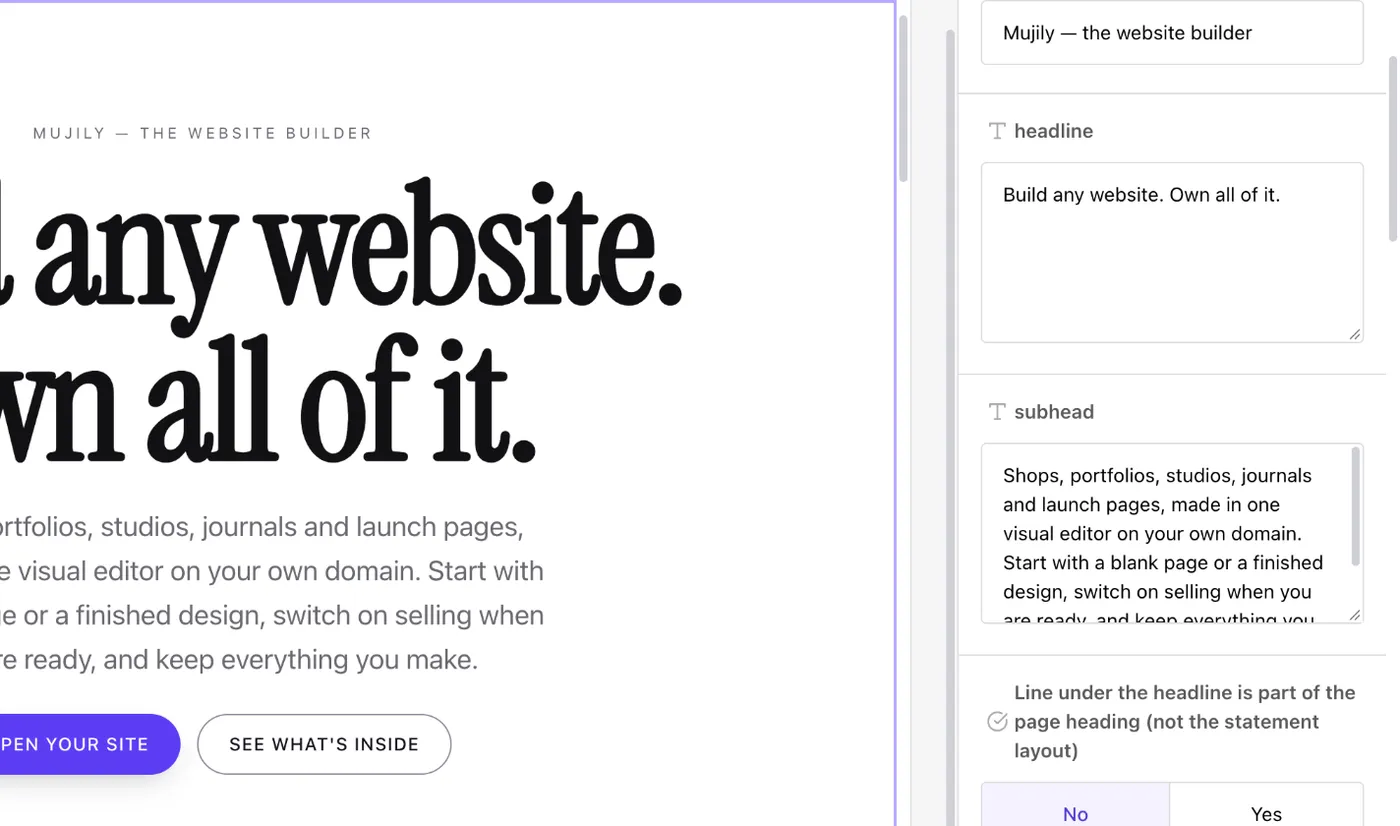
The visual editor
Edit the real page, not a mock-up.
The editor draws your actual site, with your fonts, colours and words, so what you arrange is what visitors get. Work on a draft as long as you like: the live page only changes when you press Publish, version history brings back any earlier publish, and a block you design once can be placed anywhere.
Built in, not bolted on.
61 sections
Heroes, galleries, pricing, forms, FAQs, countdowns and more, ready to drop in.
33 typefaces
Serif, sans and mono to pair in one click, or upload your own font files.
6 hero layouts
Editorial, split, statement, full-bleed, centred and collage.
0 plugins
Everything above ships in the box. Nothing to install, update or patch.
From a blank page to live in an afternoon.
01 — Open your site
Name it and give it an address. A mujily.com address works at once, and your own domain can be connected whenever you like, with its certificate issued for you.
02 — Choose a look
Start from a finished design or a blank page. Set your colours, type, corners and buttons once, and every page follows.
03 — Build and publish
Arrange sections in the editor, write your pages, then publish. Change anything later: the history keeps every version.
Yours to keep
Own all of it. We mean it.
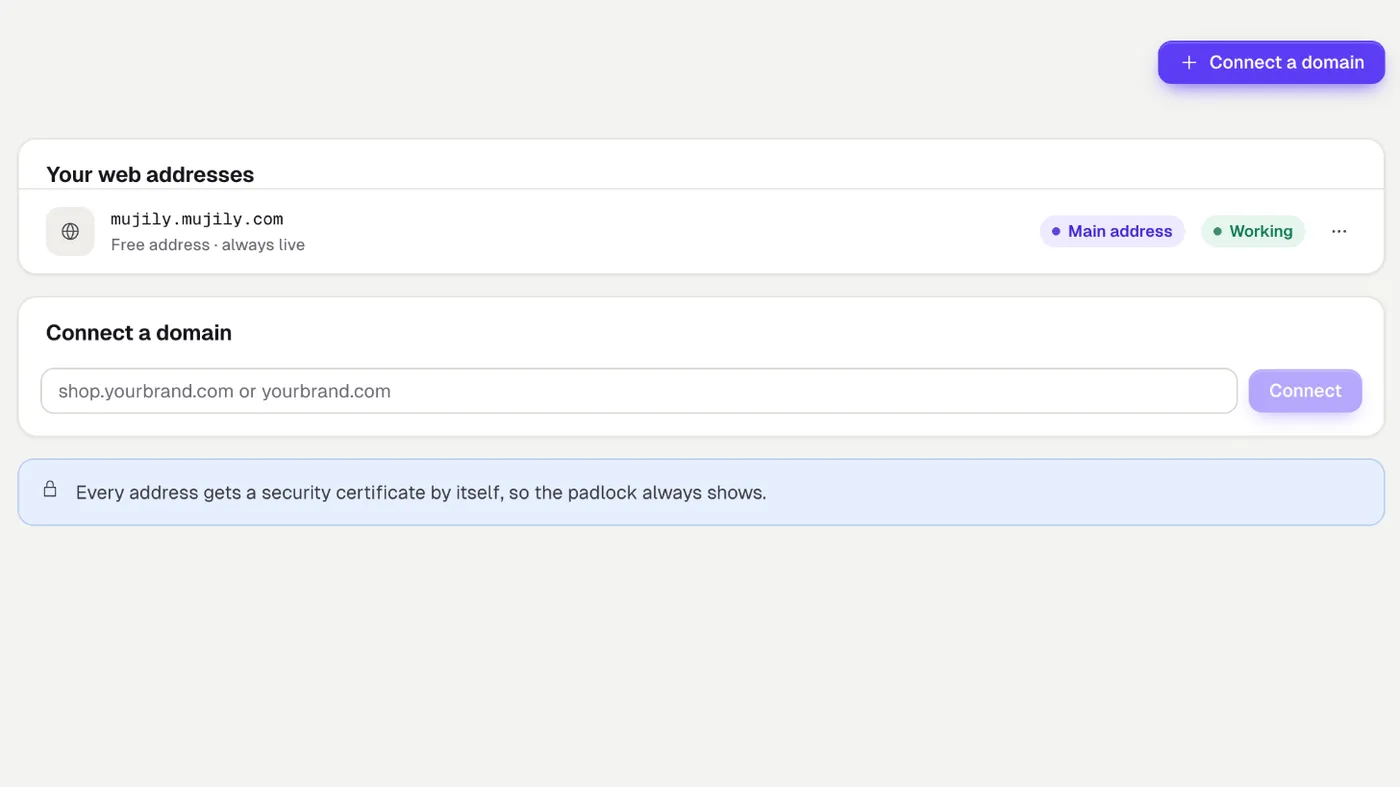
Your site lives on your own domain, with its certificate issued for you, and everything in it can leave with you: every page, post, menu, setting and picture, packed into one file whose format is published for anyone to read. Every published version is kept, and redirects keep old links working after a move.
AI that helps, then gets out of the way.
Questions
Good questions, straight answers.
Still wondering about something? Ask us when you open your site.
Do I have to sell anything?
No. A Mujily site can be a landing page, a portfolio, a studio site or a journal and never sell a thing. Products, checkout and orders are there for the day you want them, in the same console.
Can I use my own domain?
Yes. Every site starts on a free mujily.com address that works at once. Connect your own domain in Settings, add the records it shows you where you bought the domain, and the security certificate is issued for you.
Do I need to write code?
No. Pages are built from ready-made sections in the visual editor, and you type straight onto the page. If you do want your own markup, there is a custom HTML section for it.
Can I take my site with me?
Yes. Settings › Site export & import packs your pages, content and pictures into one archive in a documented format, and brings an archive back in. Your work is never locked in.
Does it work in more than one language?
Yes. Add languages to a site under Settings, then Languages. Translate each page and every piece of interface copy, and each visitor gets the language they asked for.
Which AI does Mujily use?
Each site chooses, under Settings, then AI: use Mujily's AI credits, or connect your own provider and pick the model for each AI feature. Every AI call counts against a monthly budget you set yourself.
Your turn
Your next website starts here.
Tell us what you want to build. We'll open your site, and you can publish your first page today.